I had the pleasure of visiting one of our Elementary Schools as a guest reader for a grade 2 class. I wouldn't want to miss out on a chance to get involved with some of the great activities going on in our schools. My 3 kids are all in the age range of grade 2 students so it wasn't hard to locate a book that should be engaging. After a quick poll of the kids I had my books selected "How I Became a Pirate". I decided to go with the pirate theme so I brought a Jolly Roger flag and some other props.
For those of you who are familiar with the book it it lends it's self to some fun and exciting audience participation with some good old fashioned pirate speak!
I felt compelled to introduce some technology into the field trip so I decided to incorporate the ipad into the second part of my hour with the kids. I took out my iPad which is in a case that looks more like an organizer than anything. Immediately the group was inquiring whether the organizer was in fact an iPad. They know.
I used the free Toy Story app which is really quite impressive. The app reads the story using music and the characters real voices. As the story is read the words are highlighted.
The students were captivated with a story they have seen on TV a number of times. Was it the device that was making the difference?
The novelty will diminish as time goes on but we did make a great find. One of the neat features of the app is it allows the student to read the story and the ipad will record the student's voice. Every student in the class wanted to participate so they could see the animation, hear the music and most importantly hear there voice.
iPad have many uses in the classroom and this is just one of them. This could be used as a fantastic station however the price tag can be a slight deterrent. The classroom teacher decided to use a tape recorder and stories in the classroom as a replacement for the iPad which worked like a charm.
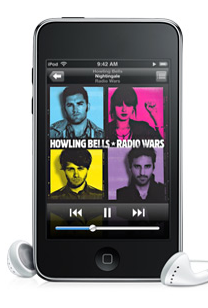
Leverage the technology to build the skills. Do we need iPods, iPads, and other technology to get students to read? Some studies say this is how we will be able to get boys to read. I think the answer is in the middle. Balance is what we need. Technology will be quite effective as long as it is applied to meet specific learning goals in conjunction with traditional methods. For more information on the application of learning goals and the use of ipods visit Kelly Powers Blog.
Thursday, March 24, 2011
Inserting Google Spreadsheets and Drawings into Google Docs
The Windsor-Essex Catholic District School Board has there own education version of Google Docs which is virtually the same. So whatever applies to Google Docs applies to what we call Tools2Go
Our teachers would like to add some cross application assignments using Google Drawings and Google Spreadsheets. The task today is to insert a Google Drawing and Spreadsheet into a Google Doc. This is not an easy task because it is not a simple point and click operation. There is no argument it should be but there are some options for you to consider. I recommend teachers consider using Google Sites ( Wiki Tool) to merge the Spreadsheet and Drawing. Every student has access to Google Sites. Sites will allow for easy merging of most Google tools. Check out the video below for instructions.
Saturday, August 28, 2010
Small Size, Big Sound, Small Price
From time to time I come across some exciting technology and I am going to star sharing here on my blog. I have been looking for a good ipod doc but just didn't want to fork out the money required for a good one. There are many great ipod docs out there ranging from $50 to $600.
However, you want to get a great portable speaker from ANY mp3 player you may want to consider the iHome speaker portable speaker ( iHM60LC - Portable Multimedia Speaker )
The speaker is about 2/3 the size of an itouch. The comparison above is close. (Dimensions: 2.36" W x 2.29" H x 2.12" D)
The speaker comes with a built-in li-ion rechargeable battery. The battery lasts for over 6 six hours and can be recharged by plugging it into the usb port of your computer.
Obviously the most important part of any speaker is how it sounds. This speaker can easily fill a class room with excellent quality sound. I was amazed at how good the sound was from such a small portable speaker. The speaker will plug into ANY mp3 player through the headphone jack. For even more impressive sound you can twist the top and bottom of the speaker and it expands to give you a richer sound with added base. ihome describes this as "Vacuum bass design for enhanced low frequency response and sound beyond size"
I was able to find this speaker at WalMart for aproximately $18.96 plus HST. The speaker comes with a storage bag and a cord that is used to connect to the mp3 and to charge. If you search iHM60LC on the net you will find it all over the web. You even have a choice in colour (Red, Blue,Grey)
If you have any comments about this gadget or another please feel free to comment below.
Friday, May 21, 2010
A Great Citation Tool For Your Schools
Citing your work is very important. Citing your work properly is even more important. Thanks to my colleague Karen Kasic, I found out about this great website that can assist students to cite properly in either MLA or APA format.
The site can be located at the following link: OERB The OERB or Ontario Educational Resource Bank is available to Ministry of Ontario Students and Teachers.
The site will give you the option of wether you would like the details about citing read to you or not.
The site can be located at the following link: OERB The OERB or Ontario Educational Resource Bank is available to Ministry of Ontario Students and Teachers.
Once the site demonstrates why you should cite materials and how you can build your own citations using MLA and APA for different media:
Students can easily fill out the online forms:
and then copy and paste the citation into their work.
Google Celebrates Pac Man's Birthday Today
If you visited Google.com or Google.ca today you would have seen this:
Google integrated a PacMan game into their logo to celebrate Pac Man's 30th birthday. The game is playable as you can see here:
Apparently there is also a hidden joke included in the game. The app will run on the iphone as well as as Macs and PCs. This could be a subtle shot at Apple considering the app runs on iphones but was not purchased through the itunes store and was of course not written in the EVIL Flash. For more on this click here.
Thursday, May 20, 2010
A Few New Tips for Smartboard Notebook 10
One of our resident DI Specialists (David Petro) attended the OAME math conference and shared some really interesting Smartboard tips with me so I wanted to pass them on to you.
Smartboard Calibration:
1. When calibrating, rather than tapping the targets on the screen, tap anywhere around the target and then drag to the centre of the target. Then only let go when you are dead centre. Do this for each calibration target. This way you get a far more accurate calibration.
Transparency Tool:
2. If you have updated to the latest version of Notebook, you now have what is called the transparency tool. It should be on your top toolbar and look like this:
What this does is make Notebook disappear with the exception of the tools. In this mode you have all the Smartboard tools (dynamic and static) which you can now use in any other application. So you could pull up a picture on a web page and then take the dynamic protractor and measure angles. Very cool.
Try it out to get a real feel for what it can do!
Thanks Dave for these great tips.
Try it out to get a real feel for what it can do!
Thanks Dave for these great tips.
Sunday, May 9, 2010
SnowLeopard Will Will Not Update: continued part 2
Continued from SnowLeopard Quickview won't work:
My move to Mac over a year ago has not been exactly an easy one. I enjoy the challenge of learning a new OS and actually prefer to use the Mac these days although I still use both. I have had my problems though....
My first MacBook Pro had a hard drive crash and my Time Machine backup was also corrupted. Lukily I received help and support from my Twitter PLN and our Board's Mac expert (Trini) who managed to save my Time Machine Backup and all the data contained. The permissions were all mixed up. The reason I mention this is I believe this has caused me problems even to this day.
I purchased a new Macbook Pro in June of last year and imported my account over from the old Mac. This Migration tool was tool was incredible. I was impressed when I was able to restore my computer from the Time Machine Backup but, this can easily be done on a PC too. However, moving an account with all my exact setup, software, and data was incredible! I am not aware of anything that does this so easily on the PC side. The time savings was immense. The MBP worked wonderfully until the OS x v10.6.2 Combo Update came out. My MBP would download and begin installing the update but would fail to install it. The error message suggested I contact Apple. I combed through discussion forums and then I contacted Apple who I have found are very helpful. Unfortunately they were unable to offer a solution that would solve this problem.
Eventually I did get an idea from @mwalkinshaw to transfer my information over to another MBP and then send mine in to get checked out (still have applecare). I decided rather than send my MBP in I would transfer my information over to another MAC and then reinstalled OS 10 with all the latest updates to get it to 10.6.3 on my original MBP. I used the Migration Assistant to bring over my account (and all software and data) to the original MBP and now everything seems to be working fine.
The best way to proceed would be to format my drive and install everything from scratch. A reinstall would require ton of time to document and reinstall all my software then move the data. Hopefully this works but somehow I believe their will be another chapter in this post.
My move to Mac over a year ago has not been exactly an easy one. I enjoy the challenge of learning a new OS and actually prefer to use the Mac these days although I still use both. I have had my problems though....
My first MacBook Pro had a hard drive crash and my Time Machine backup was also corrupted. Lukily I received help and support from my Twitter PLN and our Board's Mac expert (Trini) who managed to save my Time Machine Backup and all the data contained. The permissions were all mixed up. The reason I mention this is I believe this has caused me problems even to this day.
I purchased a new Macbook Pro in June of last year and imported my account over from the old Mac. This Migration tool was tool was incredible. I was impressed when I was able to restore my computer from the Time Machine Backup but, this can easily be done on a PC too. However, moving an account with all my exact setup, software, and data was incredible! I am not aware of anything that does this so easily on the PC side. The time savings was immense. The MBP worked wonderfully until the OS x v10.6.2 Combo Update came out. My MBP would download and begin installing the update but would fail to install it. The error message suggested I contact Apple. I combed through discussion forums and then I contacted Apple who I have found are very helpful. Unfortunately they were unable to offer a solution that would solve this problem.
Eventually I did get an idea from @mwalkinshaw to transfer my information over to another MBP and then send mine in to get checked out (still have applecare). I decided rather than send my MBP in I would transfer my information over to another MAC and then reinstalled OS 10 with all the latest updates to get it to 10.6.3 on my original MBP. I used the Migration Assistant to bring over my account (and all software and data) to the original MBP and now everything seems to be working fine.
The best way to proceed would be to format my drive and install everything from scratch. A reinstall would require ton of time to document and reinstall all my software then move the data. Hopefully this works but somehow I believe their will be another chapter in this post.
Subscribe to:
Posts (Atom)